
The kill switch on Android
A VPN protects you while it is up. The question this guide answers is what happens in the seconds when it is not — the tunnel drops, the app is killed, the phone reboots. Without a kill switch your phone quietly carries on over the ordinary network, and nothing tells you.
On Android the kill switch belongs to the system, not to our app. No app can block another app's traffic; only Android can. So this guide is about two switches in Android's own settings, what each one really does, and what turning them on costs.
The screenshots are a stock Android 16. Phone makers move these screens and rename them — Samsung, Xiaomi and others each word it differently — so go by the names of the settings rather than by the exact path.
1. Where it lives
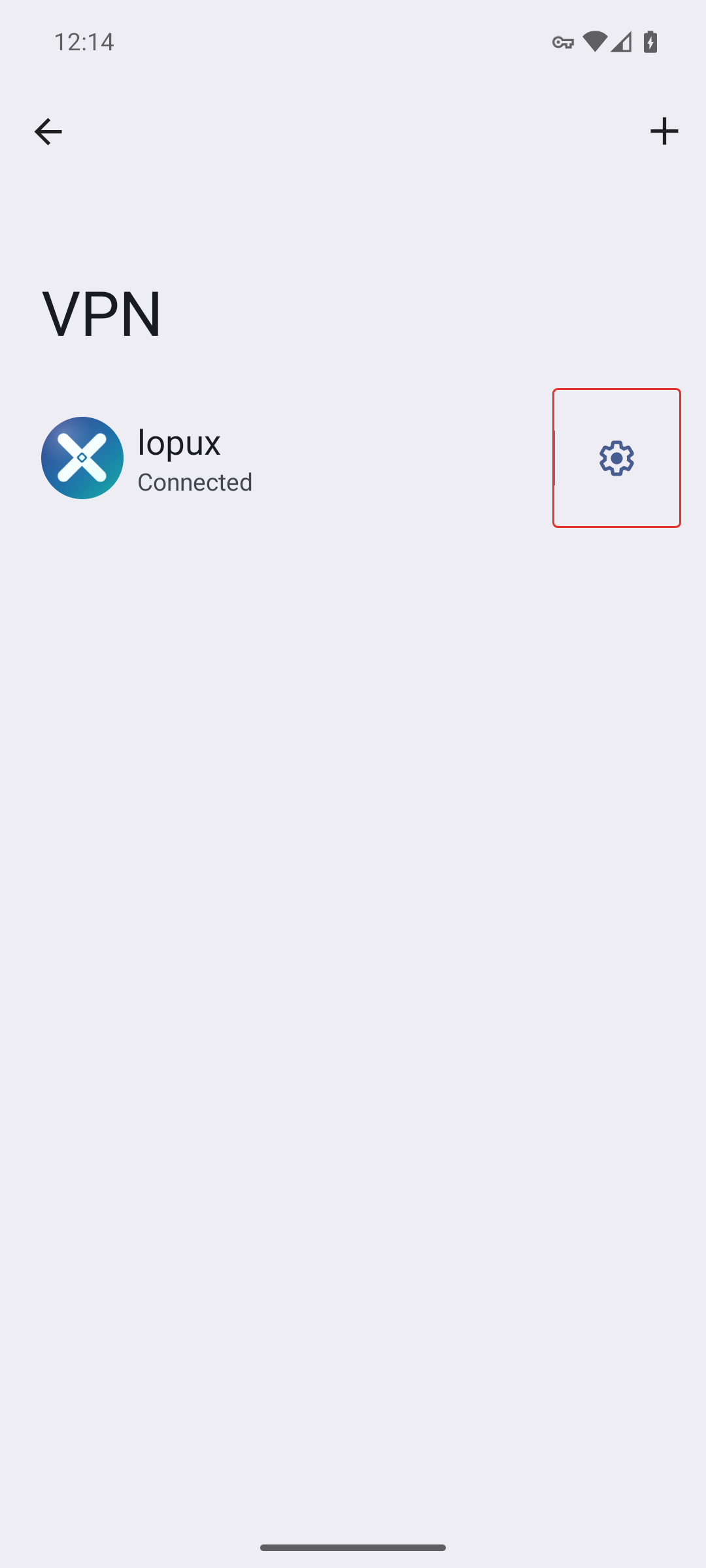
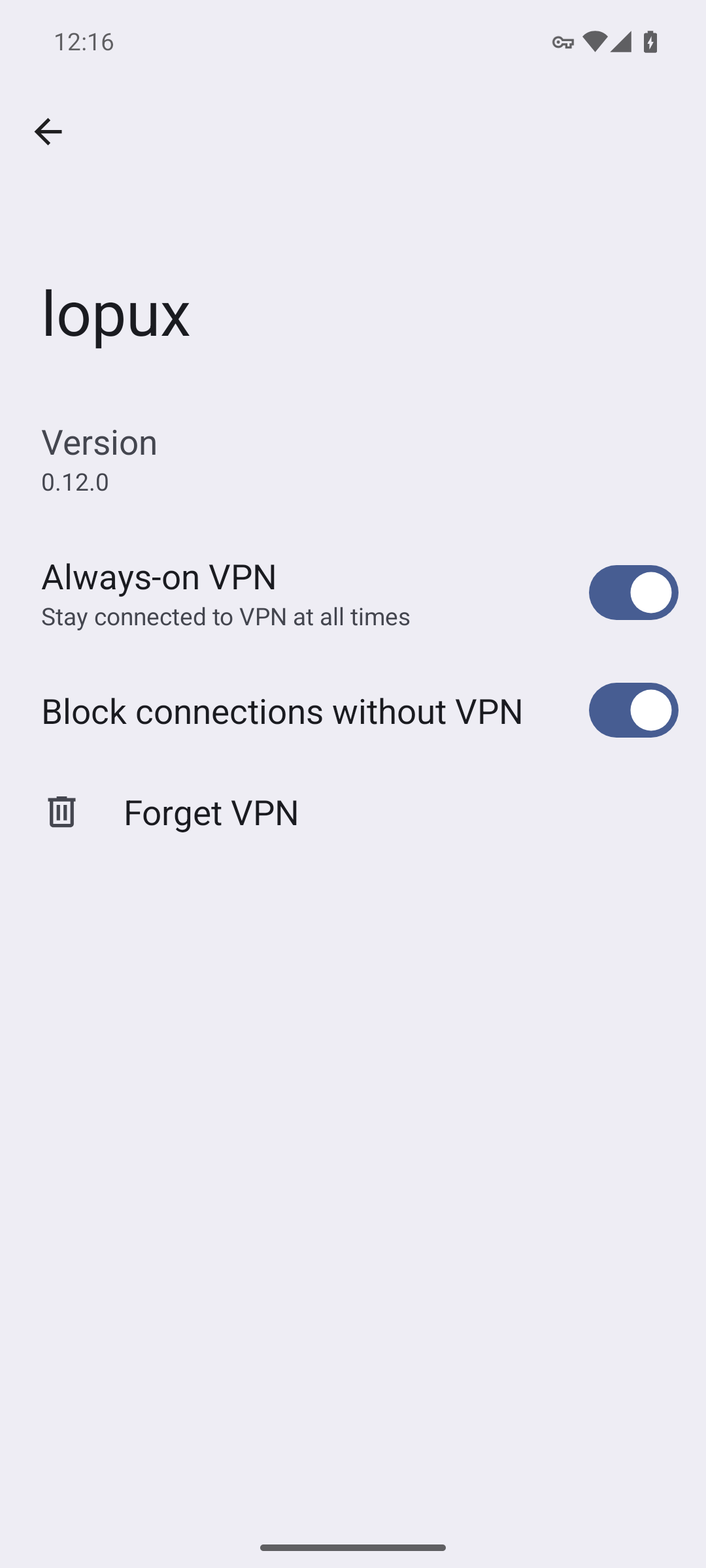
Open Android's Settings, find VPN (usually under Network & internet), and tap the gear beside lopux.
2. Two switches, and only the second one is a kill switch
Always-on VPN — "stay connected to VPN at all times" — starts the app and keeps trying to hold the tunnel up. It does not block anything while the tunnel is down.
Block connections without VPN is the kill switch. It is the one that drops traffic that would otherwise leave outside the tunnel.
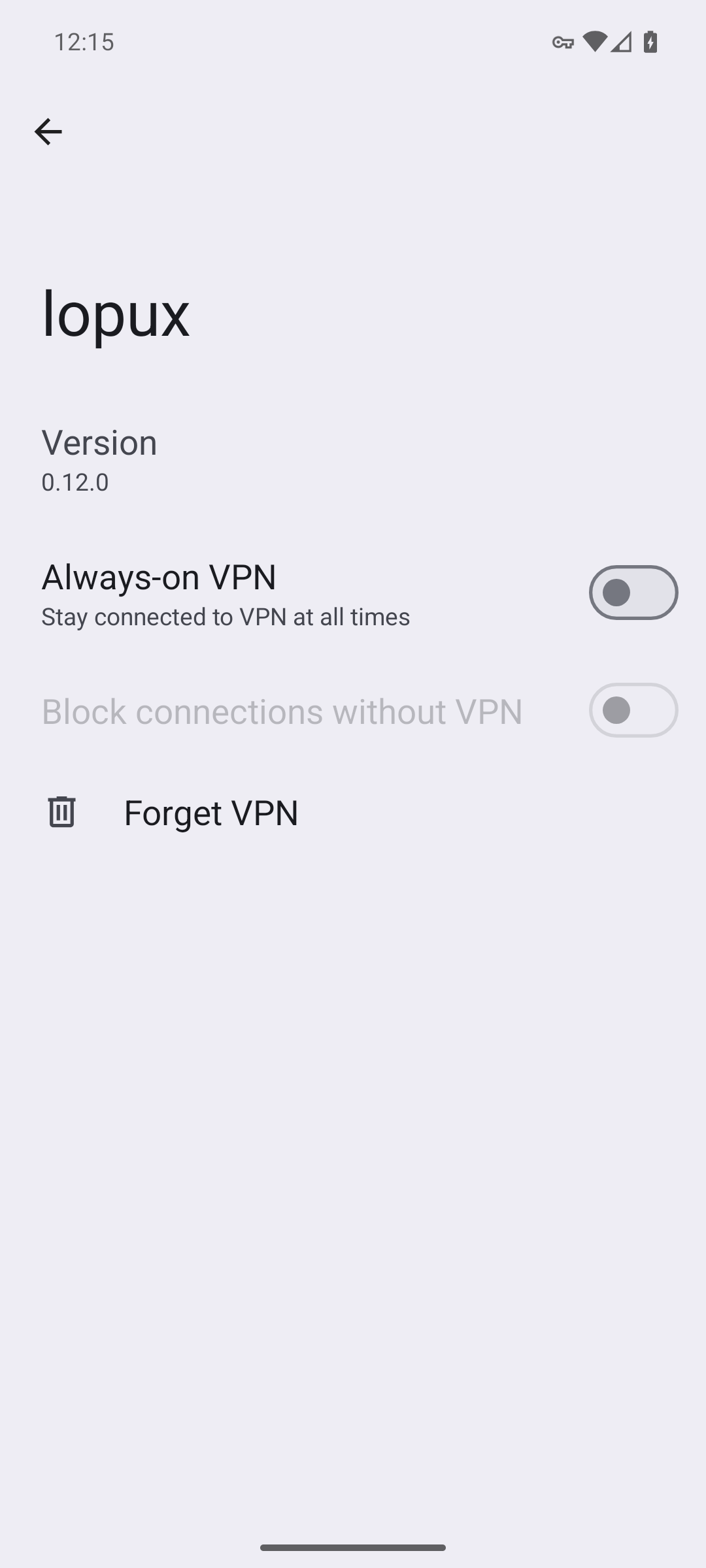
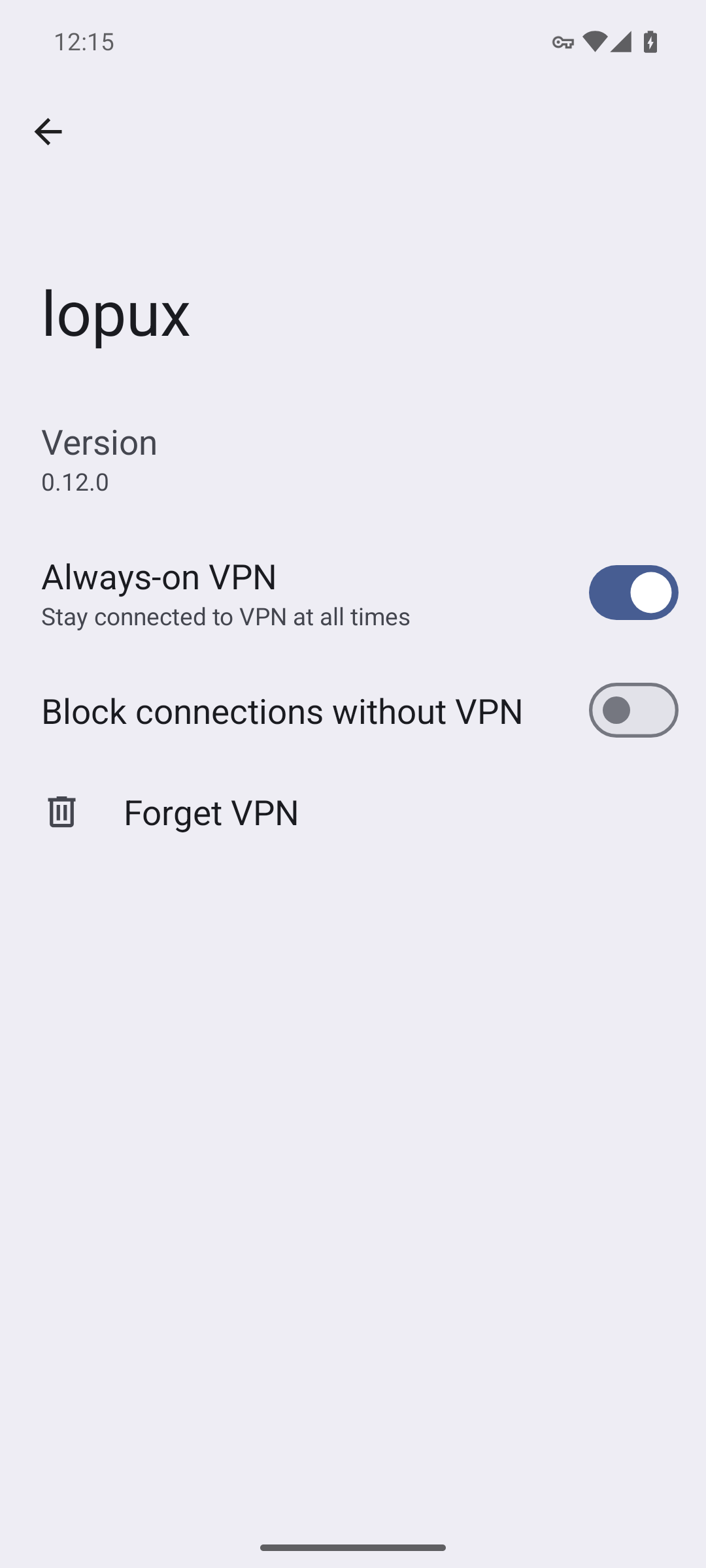
The second cannot be turned on by itself — it is greyed out until the first is on. That is not a bug, and it is worth knowing before you go looking for a switch that refuses to move.
3. Turn on Always-on VPN first
4. Then the kill switch
Android asks once, in its own words: "When this setting is on, you won't have an internet connection until the VPN successfully connects."
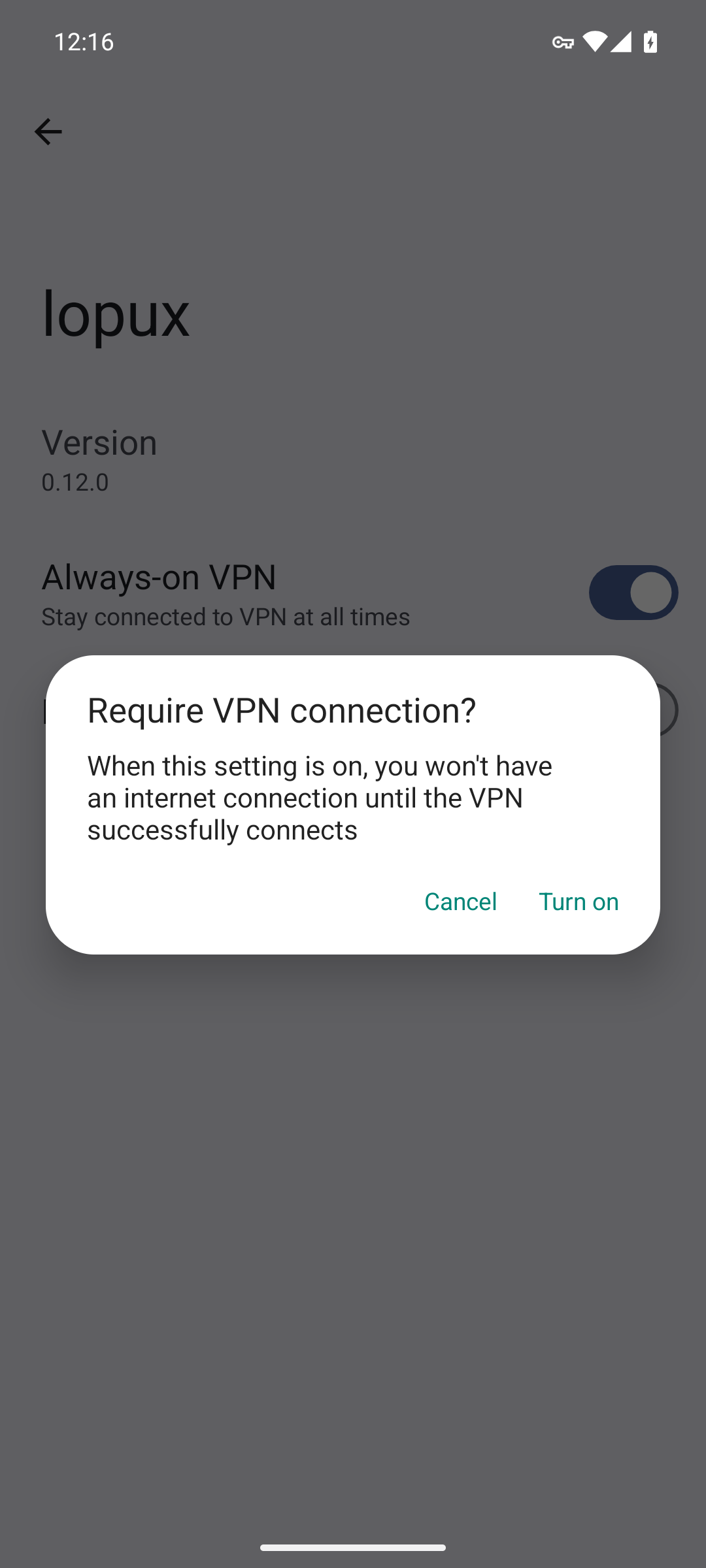
That sentence is the whole trade, and it is accurate. Press Turn on.
5. What it does — and this was tested, not assumed
With the switch on and the tunnel down, the phone has no internet at all. Not slower, not partial: a browser cannot even resolve a name.
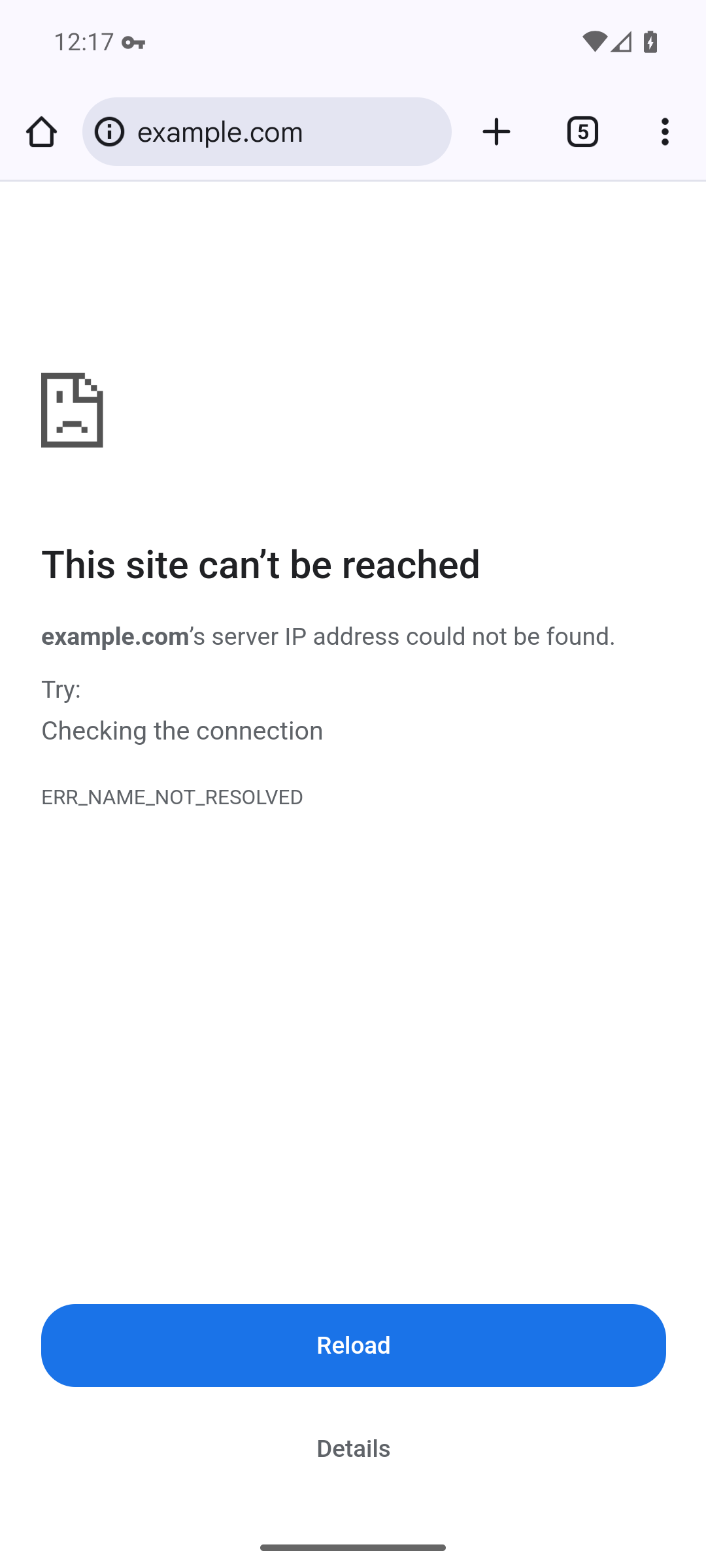
The block applies from the moment the phone starts, before you unlock it or open anything. That is the point: the gap a kill switch exists to close is exactly the one you are not watching.
6. The cost, in the one place you will meet it
After a reboot, your phone will have no internet until you open the app and press Connect.
Android starts the app by itself — that is what Always-on does — but our app does not raise the tunnel on its own, and the kill switch is already blocking everything. So the phone sits with a working Wi-Fi connection and no usable network until you tap one button.
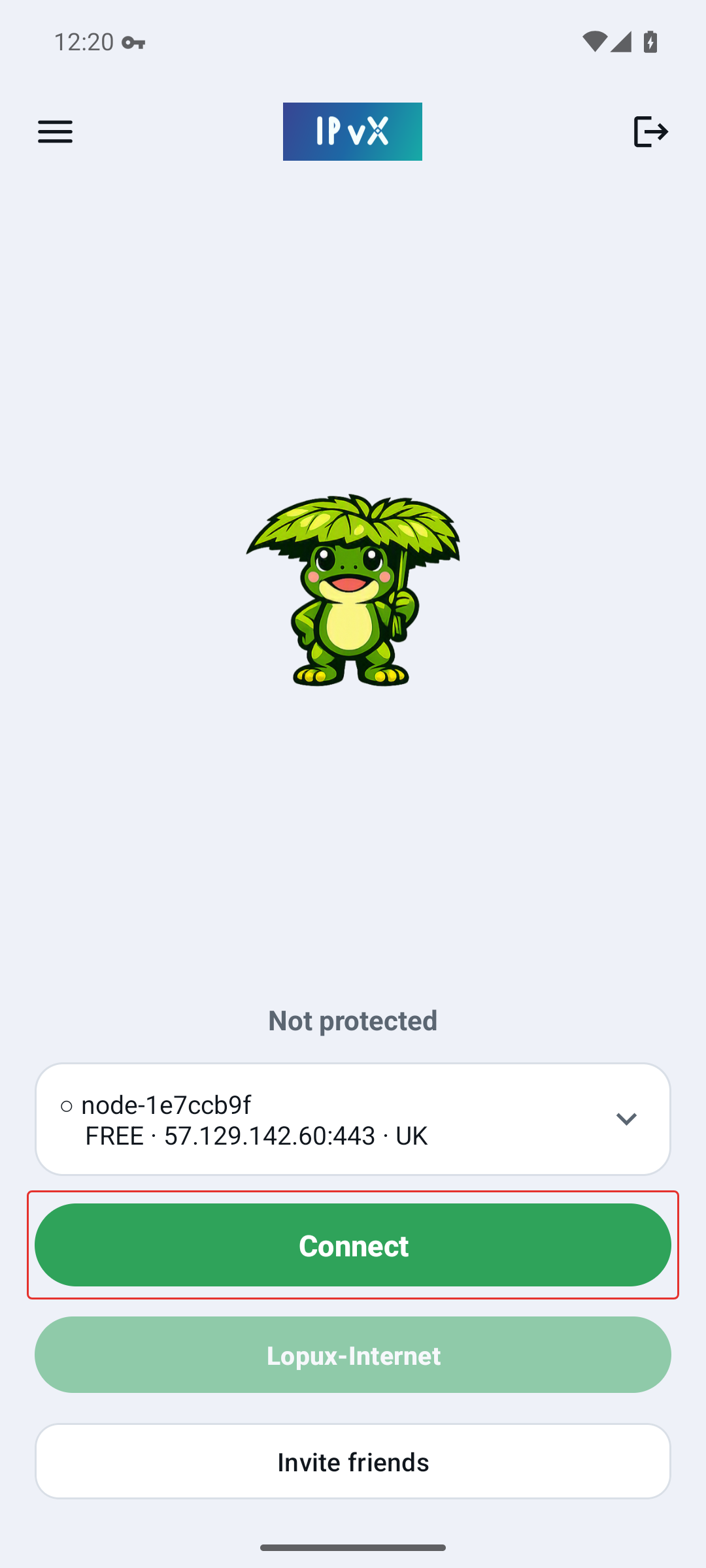
Press Connect and everything returns at once. It is worth knowing this before it happens on a morning when you are in a hurry, because from the outside it looks exactly like a broken phone: full signal, no internet, no explanation.
7. If you use split tunnelling, the switch overrules it
Split tunnelling (a paid-plan feature) lets you send some apps around the VPN. The kill switch does not respect that list. An app you excluded does not go direct while the switch is on — it gets no network at all.
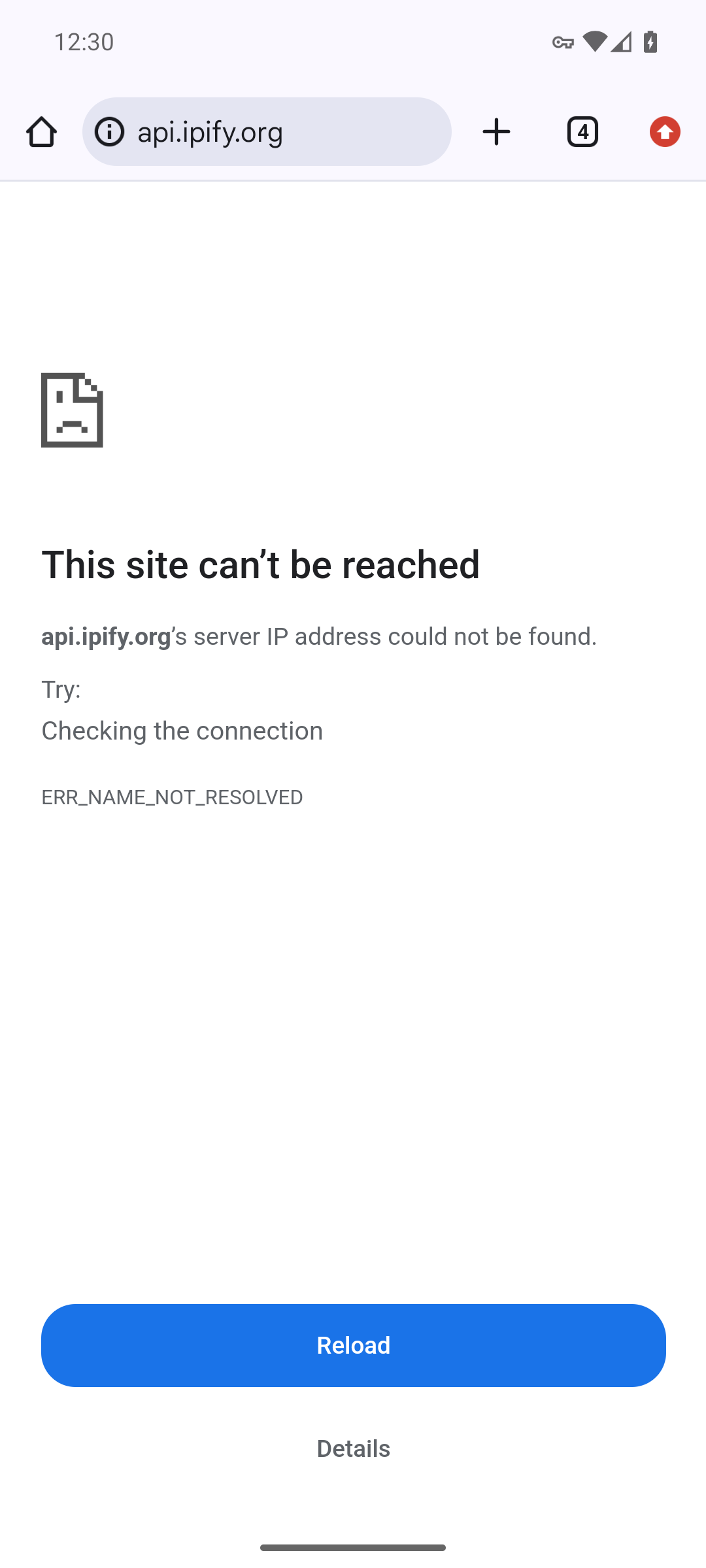
This was measured both ways on the same phone, with the same app excluded and the tunnel up:
| Kill switch | What the excluded app got |
|---|---|
| off | the internet, directly — its own address, not the VPN's |
| on | nothing. The browser cannot even resolve the name: ERR_NAME_NOT_RESOLVED |
So the two features are, in practice, a choice rather than a pair: either some apps bypass the VPN, or nothing leaves without it. If you rely on an excluded app — a banking app that dislikes foreign addresses, a work tool on a local network — the kill switch will take it away, and the app will simply look broken.
8. Turning it off
The same two switches, in the same place. Turn off Block connections without VPN and your phone uses the ordinary network again whenever the tunnel is down.
If you ever cannot reach those settings — a phone with no network is still fully usable for its own settings, so this is a nuisance rather than a trap — the path is the same: Settings → VPN → the gear beside lopux. Nothing about the kill switch depends on our app running, and turning our app off does not turn it off.
9. Worth knowing
- The kill switch is Android's, not ours. Removing our app removes the VPN profile and the switch with it; closing our app does not.
- It protects the phone, not one app. There is no per-app version of it in Android's settings.
- It is the only real kill switch you get on a phone. Our app cannot offer one, because no app may block another app's traffic — only the system can.