
When our sites stop loading half-way
Some networks let a connection start and then stop it after the first few kilobytes. What you see is not an error page: the text arrives, a picture stops midway, the next click does nothing. It looks like a broken site or a slow connection, and it is neither.
The app can answer this, and it already does it by itself. This page is for seeing what it decided, and for the rare case where you want to decide instead.
What the app does on its own
The setting is on Automatically, and that means: fetch a site normally, and if this network cuts the connection short, fetch that site in pieces from then on — each piece on its own connection, small enough to arrive. The decision is made per site, it is forgotten after an hour, and it is dropped entirely when you change network, because what was true in one place says nothing about the next.
Most people never open this screen. If sites load, nothing here needs touching.
Where it is
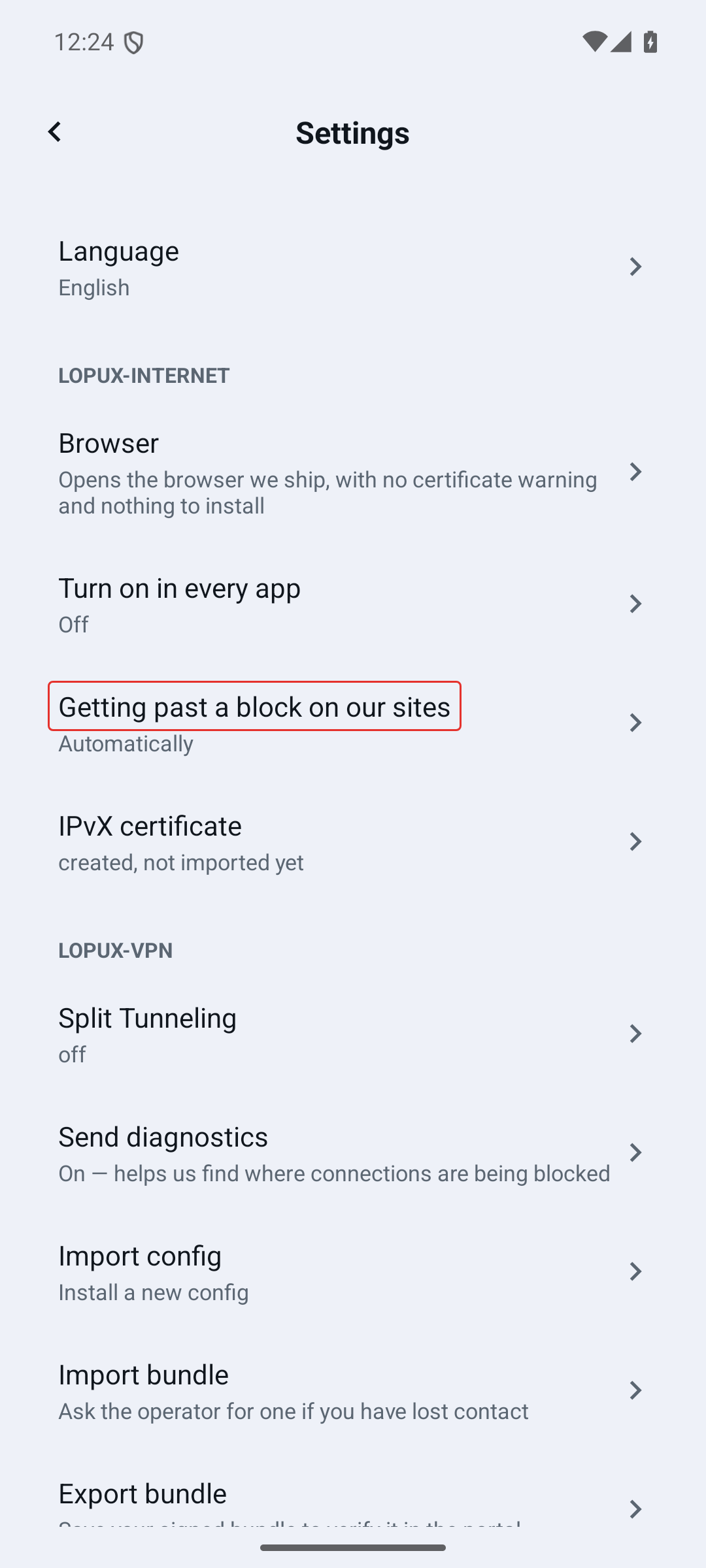
On Android: Settings → Lopux-Internet → Getting past a block on our sites.
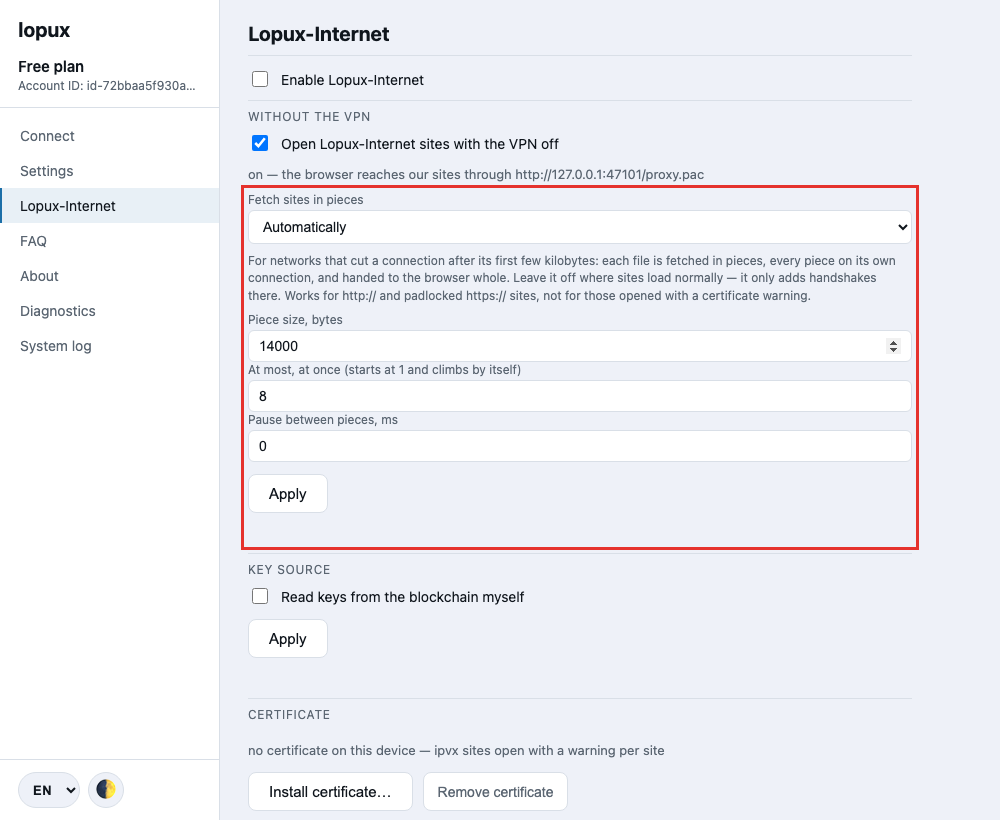
On a computer: the Lopux-Internet section, under the "without the VPN" switch.
What the screen shows
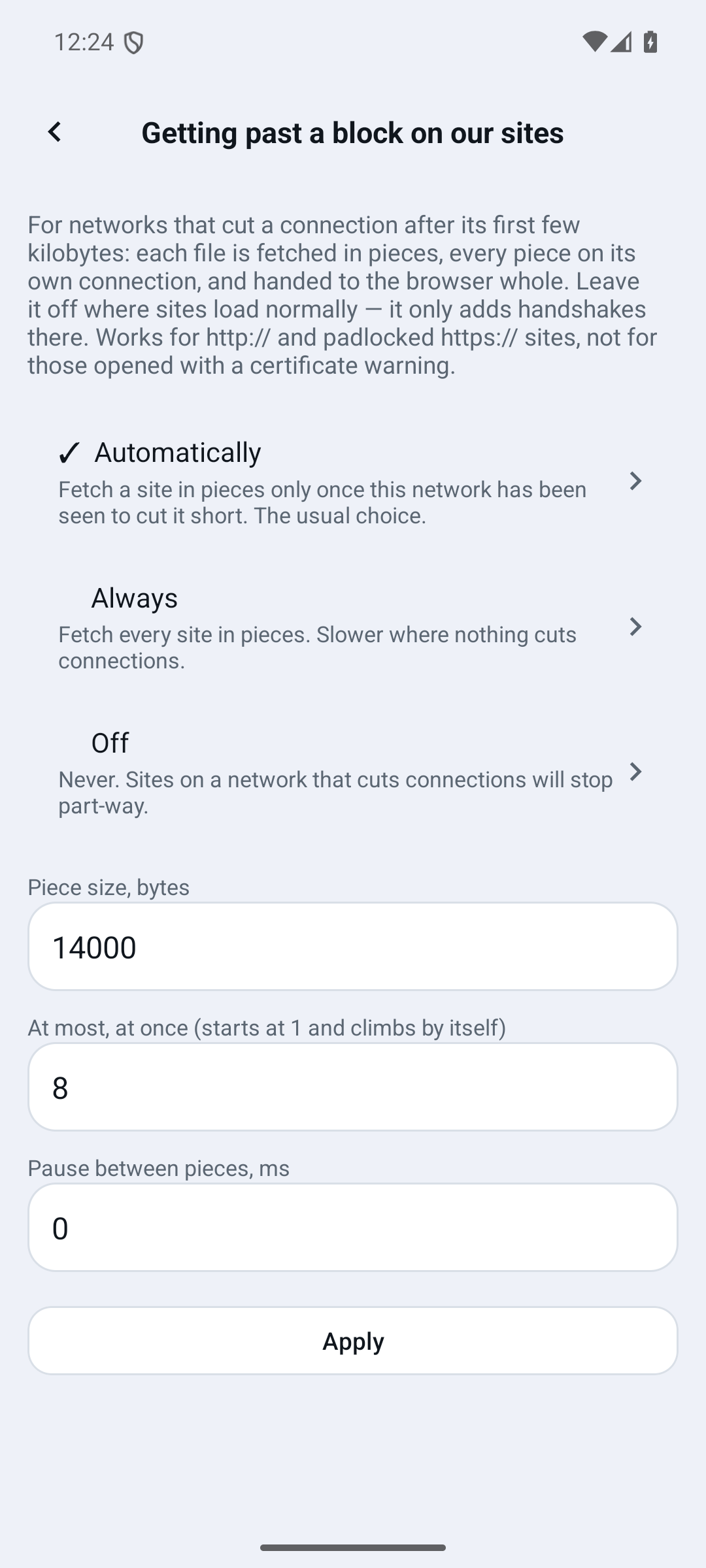
- Automatically — the usual choice, described above;
- Always — fetch every site in pieces, without waiting to be cut off. Slower where nothing is wrong, because every piece costs a fresh connection;
- Off — never. On a network that cuts connections, sites will stop part-way.
Below the modes, the app lists what it decided on this network: which sites it switched over, and which ones it gave up on because pieces did not help either. Forget what was decided clears both — useful when you have moved to a different network and want the app to learn it afresh.
If a site still does not load
Set Always and press Apply.
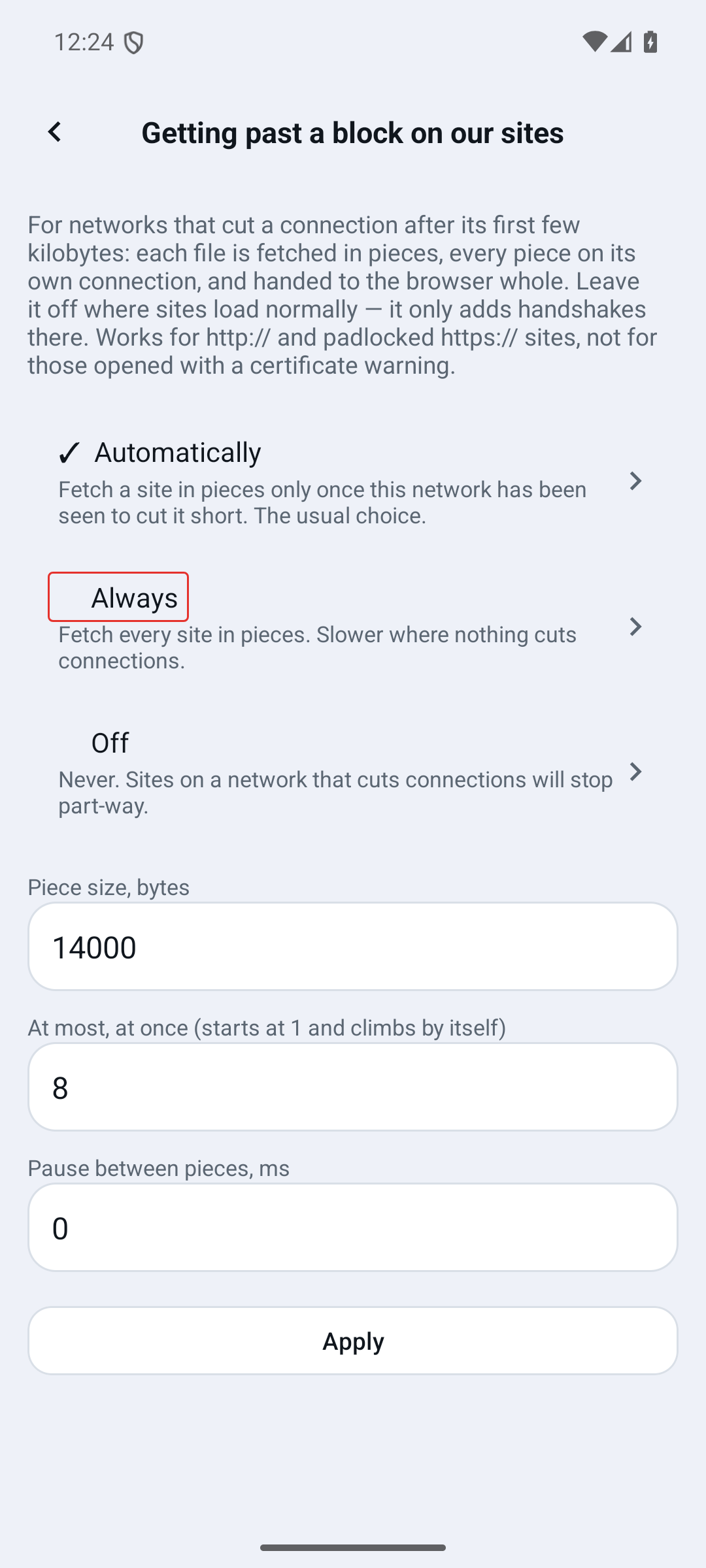
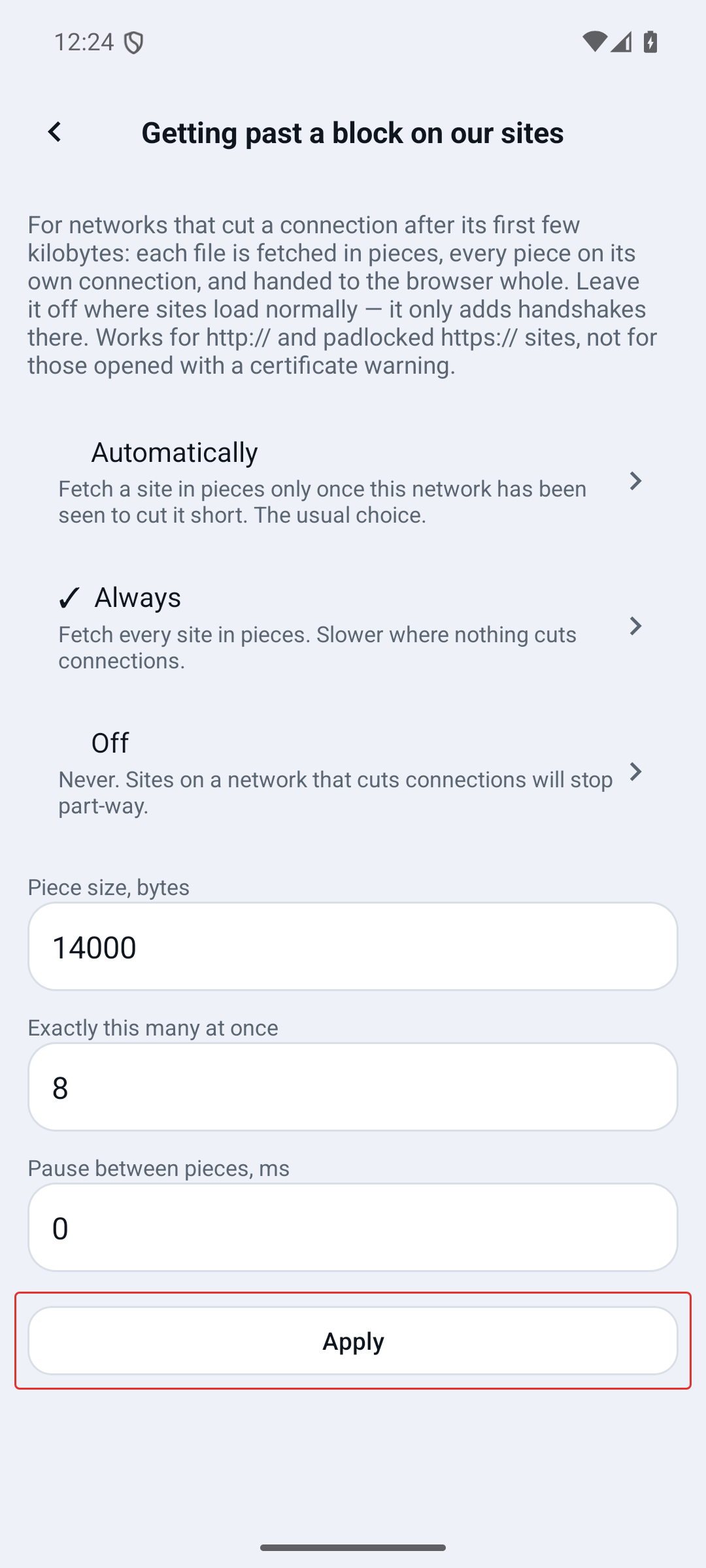
Applying also clears the browser's cache, so the next page is really fetched rather than remembered — otherwise a change here looks like it did nothing.
If that does not help either, this network is not merely slowing our sites down but blocking them, and no setting on this screen will get past it. The app says as much on the same screen rather than leaving you to try combinations.
The three numbers
They are for people who want to experiment, and the defaults are measured rather than guessed.
- Piece size — how much is asked for per connection. The default sits below the limit we have measured on networks that cut connections.
- Connections at once — in Automatically this is a ceiling: the app starts at one and raises it while pieces keep arriving, dropping back on the first freeze. In Always it is used exactly as typed, which is why that mode exists: so a specific number can be tested on a specific network.
- Pause between pieces — for a network that objects to bursts rather than to volume.
Numbers outside what works are brought back into range when you apply them, and the screen shows what was actually stored.